 Tidy
TidyAgree the starting point.
List the client’s stores, payout currencies and reporting periods. Identify what already records sales and which payout starts the new process.
Bring marketplace reports, account mappings and payout reviews into a repeatable bookkeeping workflow. Keep the source details close to the entries you prepare for QuickBooks Online.
Establish the workflow once.
Use the same checks each period.
List the client’s stores, payout currencies and reporting periods. Identify what already records sales and which payout starts the new process.
Choose the supported report format for the channel. Retain its payout ID, dates and currency beside the review.
Review where sales, refunds, fees and balance movements belong. Reuse mappings and resolve unfamiliar lines before preparing the entry.
Review the prepared entry and its source totals. Check posting availability, retain the entry reference and compare the actual bank credit.
A visible account choice
for the details in a payout.
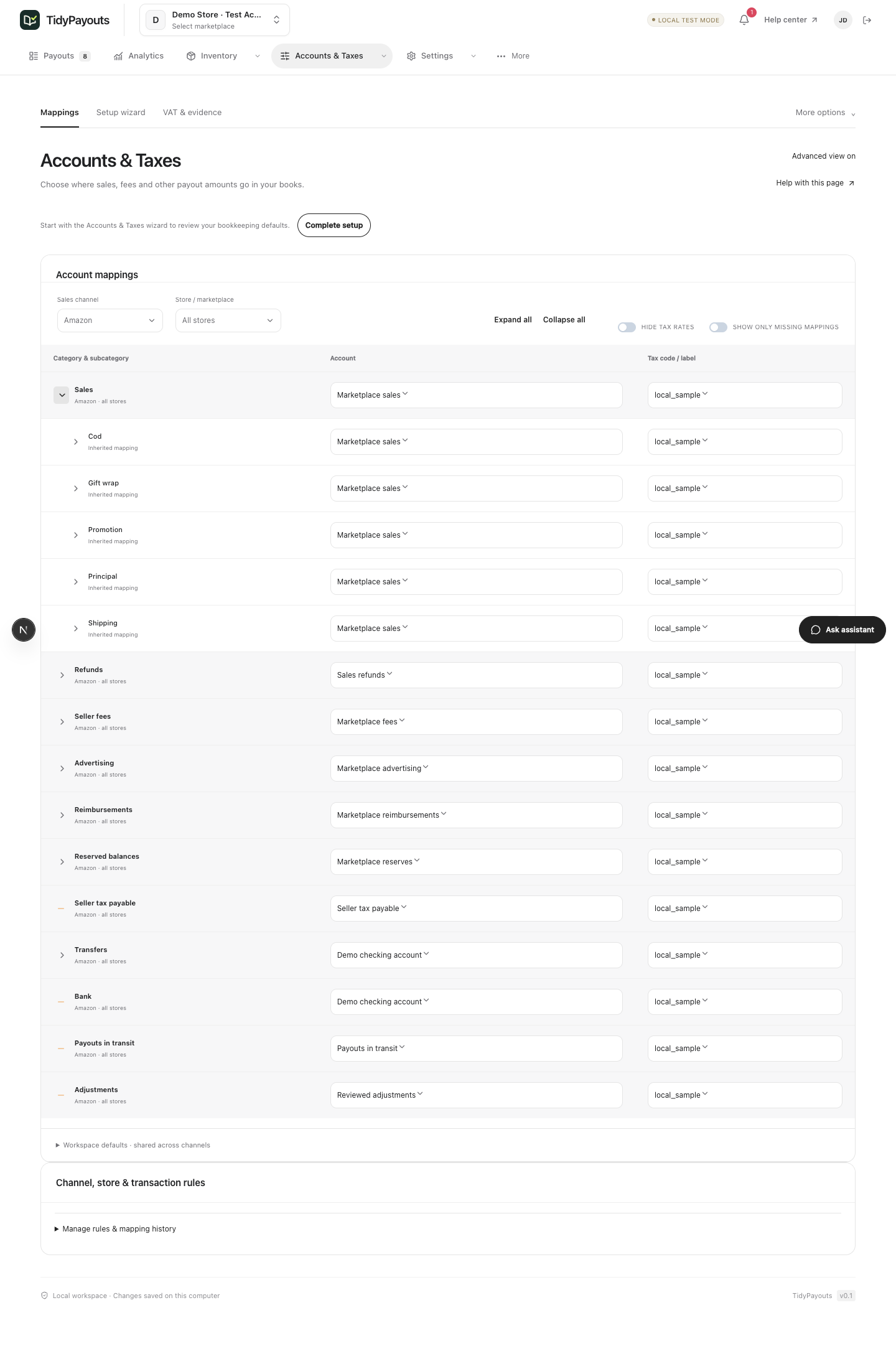
Use sales, refunds, fees and reserve categories as a starting point for the client’s chart. Review tax treatment separately for the client’s jurisdiction and records.
Investigate unfamiliar types, missing mappings and incomplete cost data. Keep a note of the decision with the supporting source records.
A fictional USD payout.
Illustrative accounts, before tax or reserves.
| Source amount | Illustrative account | Entry |
|---|---|---|
| Sales $1,000 | Marketplace revenue | Credit $1,000 |
| Refunds $50 | Sales returns | Debit $50 |
| Fees $30 | Marketplace fees | Debit $30 |
| Payout $920 | Bank | Debit $920 |
Keep the payout reference, source report, account choices and review notes together. Debits and credits each total $1,000; the bank credit to check is $920.
Make the first handoff
easy to review.
Amazon settlement Flat File V2 (.txt / .tsv)
See format and sample →Shopify Payments data bundle (.json) or TidyPayouts CSV
See format and sample →eBay Finances data bundle (.json) or TidyPayouts CSV
See format and sample →Etsy payment-ledger data bundle (.json) or TidyPayouts CSV
See format and sample →Walmart reconciliation report (.csv / .json)
See format and sample →Compare previews for a closed payout first. Agree which process records each event and a clear cutover point before posting anything new. The comparison checklist can help organize that review.
Each integration guide lists supported import layouts and links to a fictional TidyPayouts summary CSV. Native marketplace exports may use a different layout.
Bring one representative payout, the source report, the client’s accounting platform and the chart-of-accounts choices you want to review. Connection availability varies by channel and account.
Bring the report. Review the mapping. Build a repeatable workflow.
Join the free beta →Free during beta. No credit card.