 Tidy
Tidy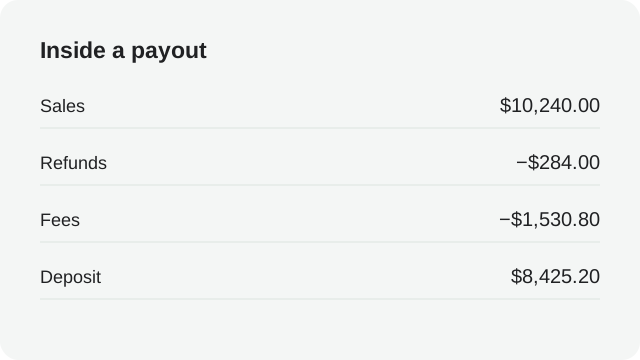
Start with one payout and its existing entries
Before importing another batch, find one completed Shopify payout and search QuickBooks for its orders, settlement references and bank credit. Record which app or manual process created each entry. Intuit’s connector guidance describes reviewing imported activity before matching it with bank transactions.
Give each event one recording process
Write down who records sales, refunds, fees and the movement into the bank. If one integration records individual orders, a second summary import must not record the same revenue again. A bookkeeper can design the clearing-account treatment for your setup.
A fictional $970 deposit
A store has $1,000 of sales and $30 of processing fees. Its bank receives $970. If the $1,000 sale is already recorded, adding the $970 deposit as new sales would show $1,970 of revenue for that activity. Matching cash to the existing bookkeeping avoids that second revenue entry.
Use this check before a switch
- Export the current records and note the last reconciled date.
- Compare order IDs, payout IDs, currency and dates across apps and QuickBooks.
- Agree a cutoff with your bookkeeper so two importers do not cover the same activity.
- Review one payout, its fees and the bank match before processing a full period.
- Keep a record of the change and review the next payout for overlap.
What if duplicates are already present?
Save the supporting reports and identify the exact duplicated activity first. Ask your bookkeeper how to correct it, particularly if it falls in a reconciled or closed period. Do not delete a whole batch merely because its deposit total looks similar.
Sources and review date
Reviewed October 25, 2026 against the provider guidance below. Examples are fictional; confirm account mappings and tax treatment with your bookkeeper.